
Why is Kafka Fast?

Overview
Kafka is famous for being able to handle millions of messages per second. But what makes it so fast compared to traditional messaging systems?
There are many reasons, but let’s focus on the two most important design choices:
Sequential I/O (vs Random I/O)
Zero-Copy Principle (Avoiding Extra Copies)
Sequential I/O (vs Random I/O)
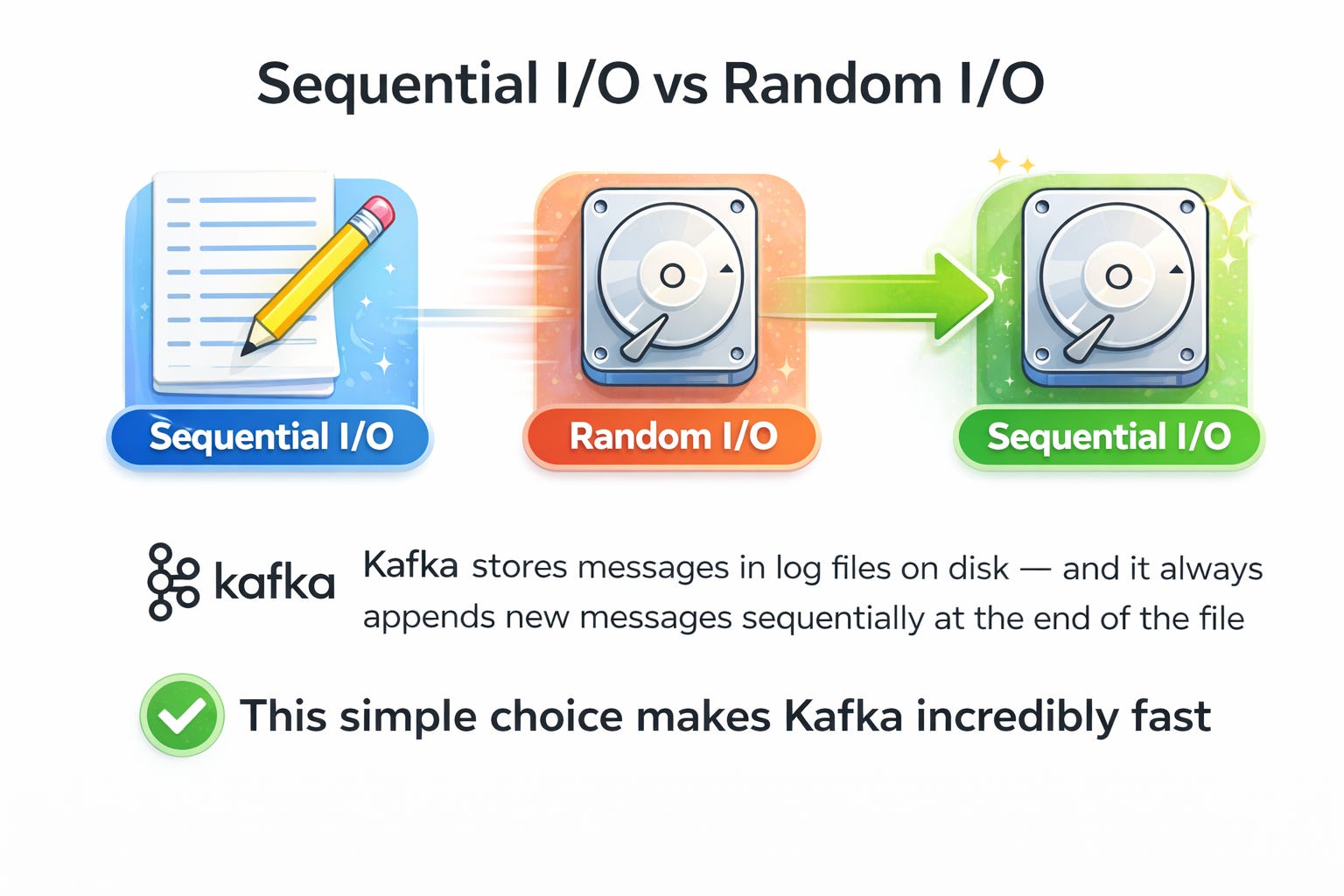
Analogy: Imagine writing notes in a notebook.
If you keep writing one line after another, it’s fast and natural.
But if you keep flipping pages and squeezing text into random spots, it’s slow and messy.
That’s basically the difference between sequential writes and random writes on disk.
Random I/O = Data is scattered across disk, disk head has to move around a lot (like flipping notebook pages back and forth). This wastes time.
Sequential I/O = Data is written one after another in order. The disk head hardly moves. This is much faster.
📌 Kafka stores messages in log files on disk — and it always appends new messages sequentially at the end of the file.
This simple choice makes Kafka incredibly fast because:
No random jumps on disk
Makes use of OS-level optimizations like page cache
👉 This is why Kafka can scale to billions of messages without struggling with disk performance.
Zero-Copy Principle (Avoiding Extra Copies)
Normally, when data moves from a producer to a consumer through Kafka, it has to travel through many layers:
Disk
Operating System (OS) cache
Kafka application memory
Network socket buffer
Network card (NIC)
Every time data is copied from one layer to another, CPU time and memory bandwidth are wasted.
Kafka avoids this overhead using Zero-Copy.
Without Zero-Copy (the “slow” way)
Data is read from disk into OS cache.
Data is copied from OS cache → Kafka application memory.
Kafka app copies it into the socket buffer (used for networking).
Data is copied again from socket buffer → network card.
Network card sends it to the consumer.
❌ That’s 4 copies of the same data! (inefficient)
With Zero-Copy (the “fast” way)
Data is read from disk into OS cache/buffer.
OS uses special
sendfile()system call to directly pass data from OS cache → network card.Network card sends it to the consumer.
✅ That’s just 1 copy instead of 4.
Detailed diagram
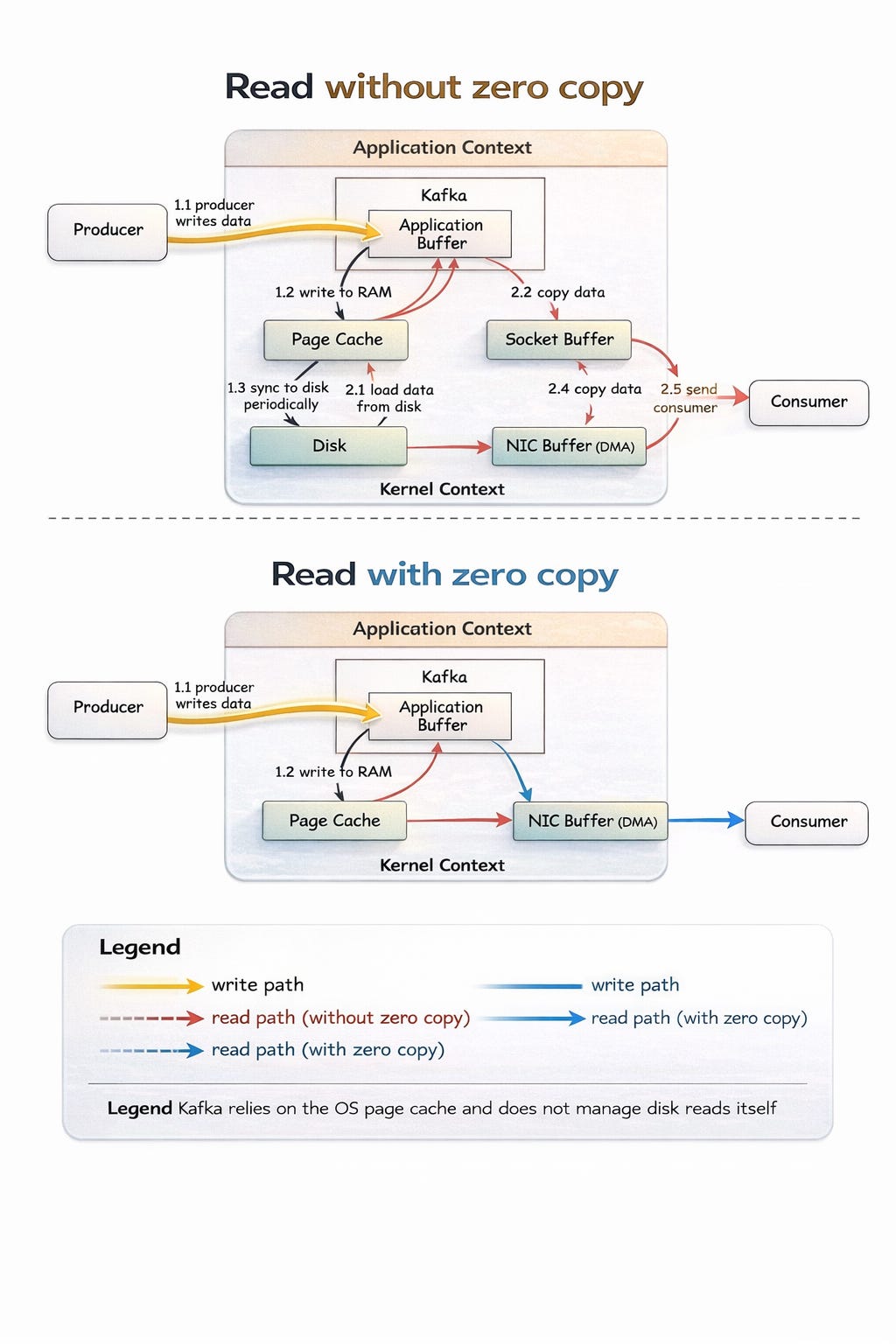
💡 This shortcut is called zero-copy, because Kafka doesn’t copy data between its own application memory and the OS — it lets OS handle it directly.
📊 Why do these two choices matter?
Sequential I/O ensures that Kafka can write and read data from disk as fast as possible.
Zero-Copy ensures that Kafka doesn’t waste CPU cycles on unnecessary memory copies when sending data to consumers.
Together, these optimizations allow Kafka to:
Handle huge throughput (millions of messages/sec)
Use less CPU
Reduce latency (messages delivered faster)
✅ Takeaways
Kafka is fast because it’s designed around hardware realities. Instead of fighting against disk and OS limitations, Kafka embraces them by:
Writing data sequentially like a logbook (fast disk access).
Using zero-copy so data moves directly from disk to the network (fast delivery).
That’s why Kafka can scale better than traditional messaging systems.